
Click the appropriate link for instructions on adding this archive to the Java Class Path:
Otherwise, add the following line to ~/.cshrc
This sets the CLASSPATH environment variable in the current shell. All new shells will be also be affected.
Figure 1: The Windows NT Enviroment Variable Display Window
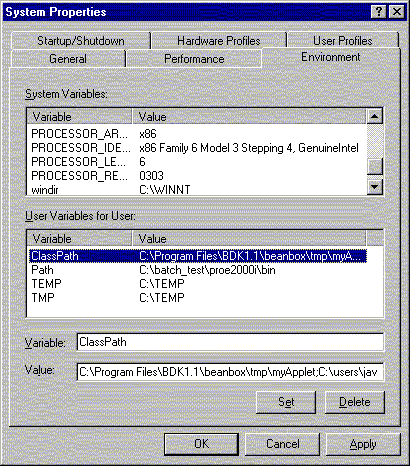
Note the use of the semicolon as the path delimiter before and after the path to the archive, and the period (.) at the end of the varible definition. There must be only one semicolon-period ";." entry in the ClassPath variable, and it should appear at the end of the class path.
If the ClassPath variable does not exist, then follow these steps:
Note there must be a semicolon-period ";." entry at the end of the ClassPath variable.